In-house product
HR work, in one connected workspace.
HRive brings employee management, attendance, leave and HR workflows together across role-specific portals, giving teams a clearer way to manage everyday work.
Overview
Our own product, built the way we build for clients
HRive is an in-house Vision Bridge product. It is where we work through role-based access, approvals and HR workflows on a platform we own: a real product we can open and demonstrate, rather than a concept on a slide.
The same approach carries into client work: we build internal tools and business platforms around the roles and approvals a team already has, and SaaS products when the platform is the product.
A leave request lives in an email thread, and the record is updated by hand later.
The employee submits it, the manager decides, and the record updates itself.

- Project type
- In-house productNot a client engagement
- Platform
- Web app with role-based portals
- Working modules
- 5 demonstrable today
- Results
- Published once measuredWe do not publish figures we cannot demonstrate.
The challenge
HR work gets harder when every process lives somewhere else
Records, attendance, leave and hiring end up in separate files and inboxes. HRive puts them in one workspace, with each role seeing only its part.

Scattered employee information
Records and documents are difficult to find and maintain.
Manual attendance and leave work
Requests, approvals and records become fragmented.
Limited visibility for managers
Teams need relevant information without seeing everything.
Disconnected HR workflows
Repeating the same data entry slows down routine work.

The solution
Recruitment in HRive, from opening to offer
Five real screens, captured on sample data. Scroll to follow a hire from the job post to the offer.
-
 HR
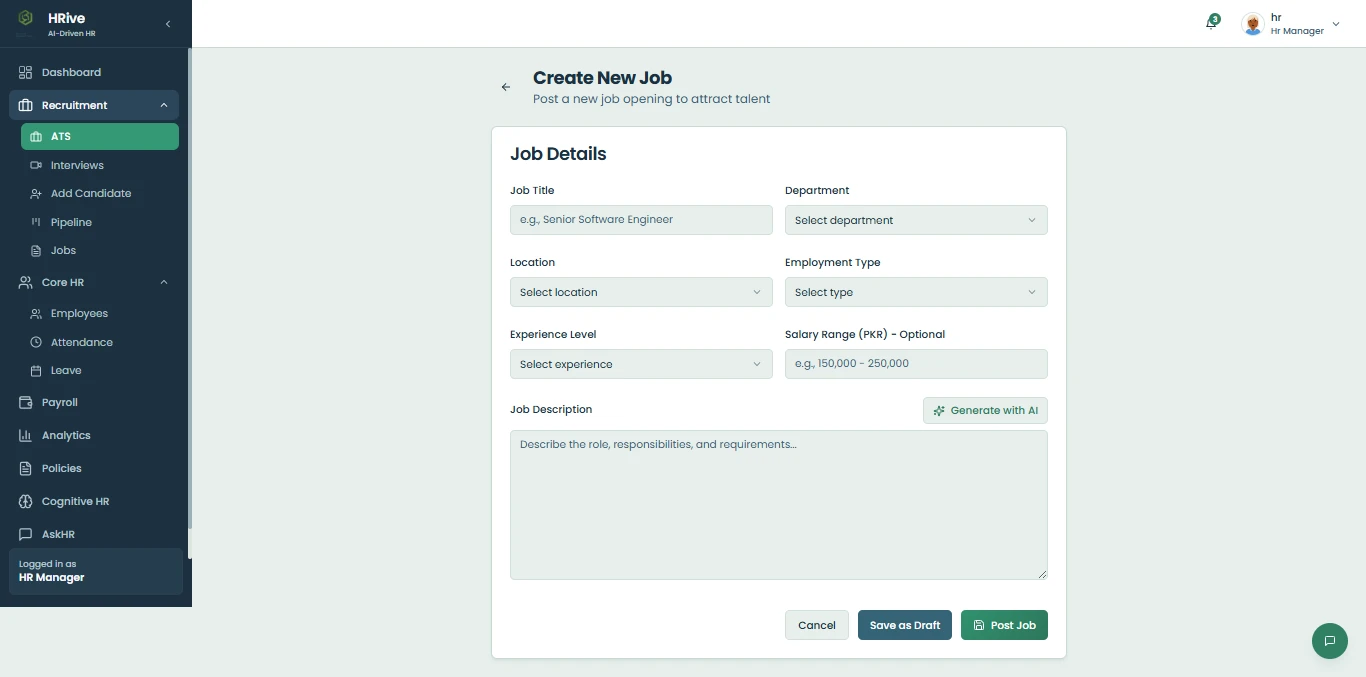
HRHR opens a position
HR posts a job with its department, location, type and description, and it joins the list of openings.
-
 HR
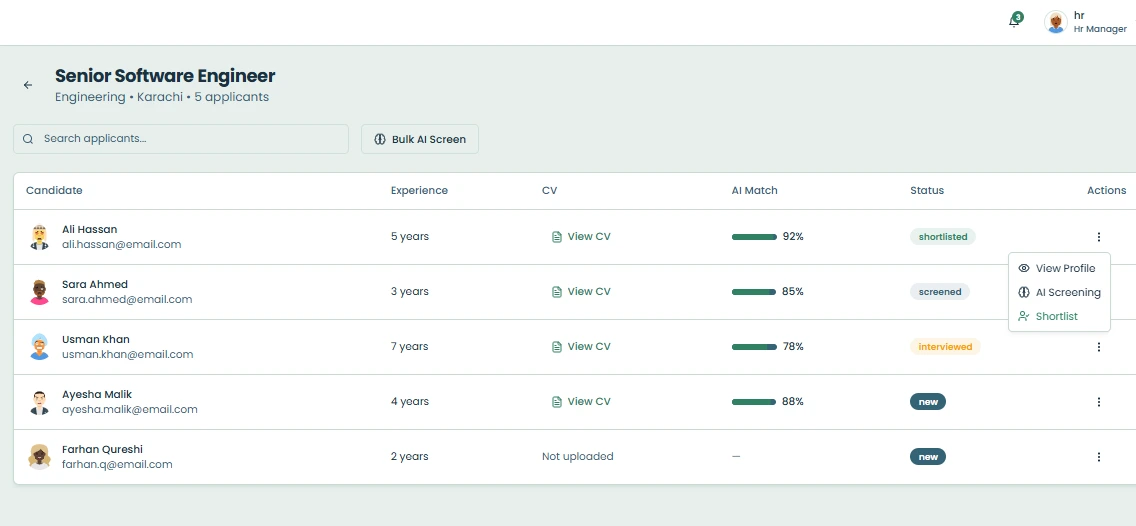
HRApplicants are gathered
Every applicant for the role sits in one list with their experience, CV and current status.
-
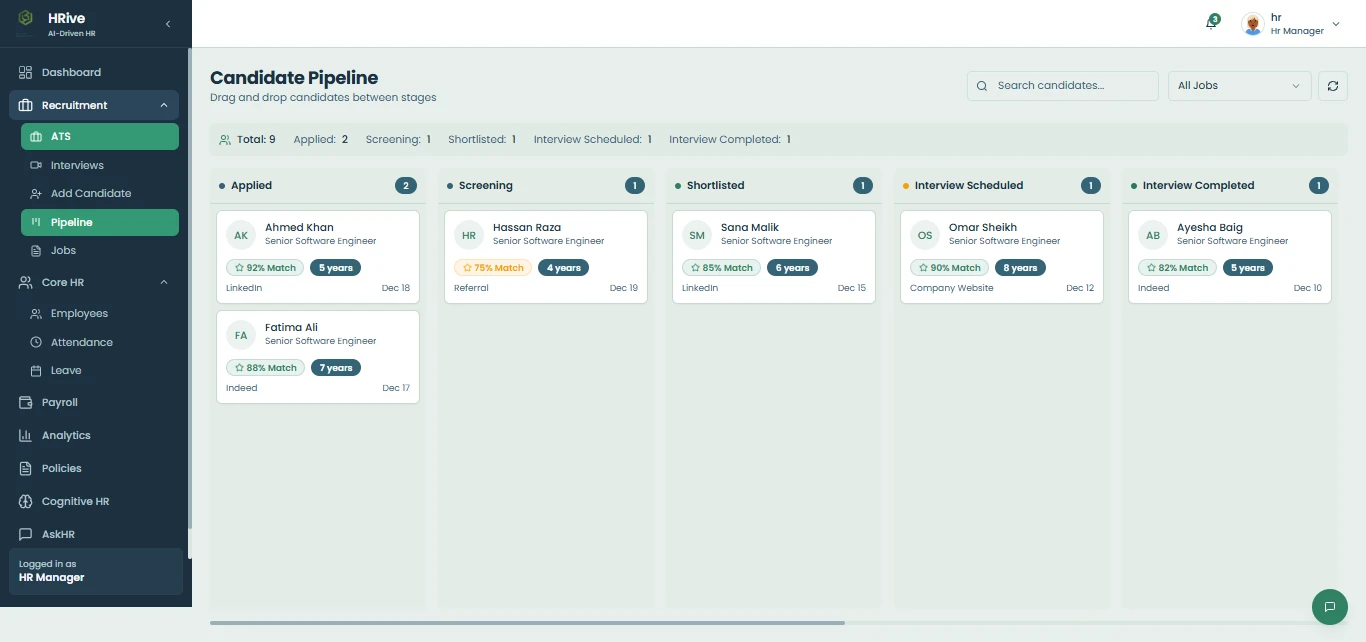 HR
HRCandidates move through the pipeline
Candidates move from applied to screening, shortlist and interview on a single board.
-
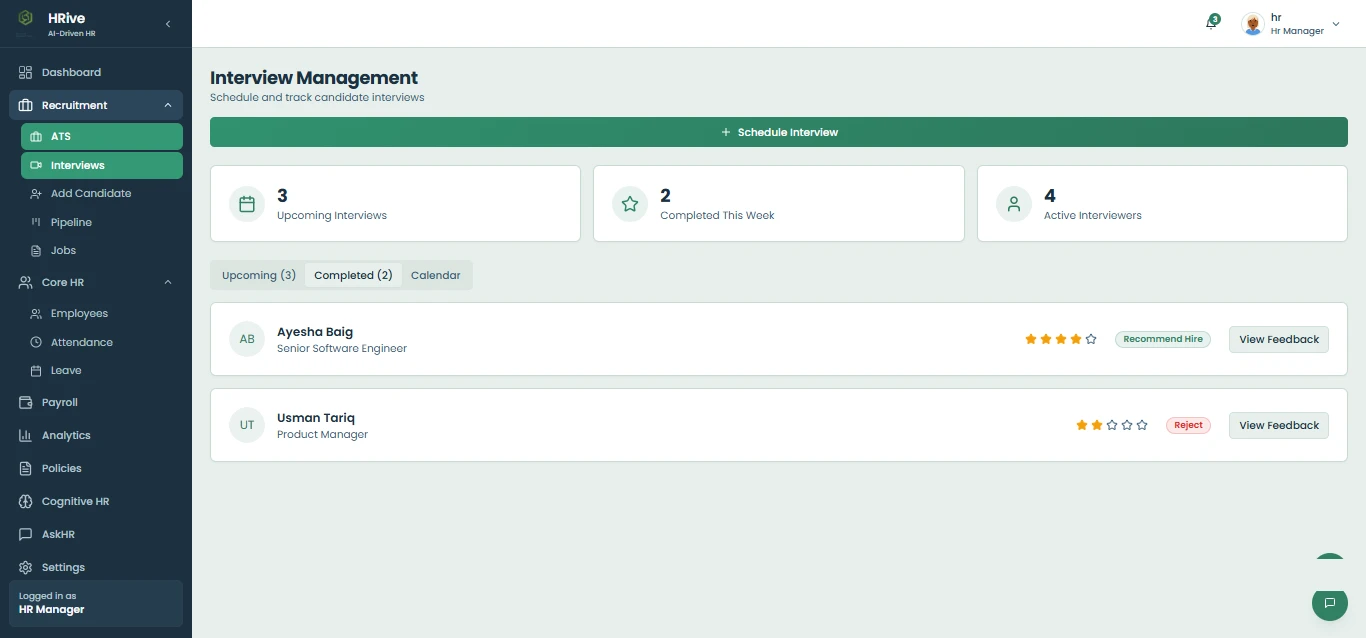 Interviewer
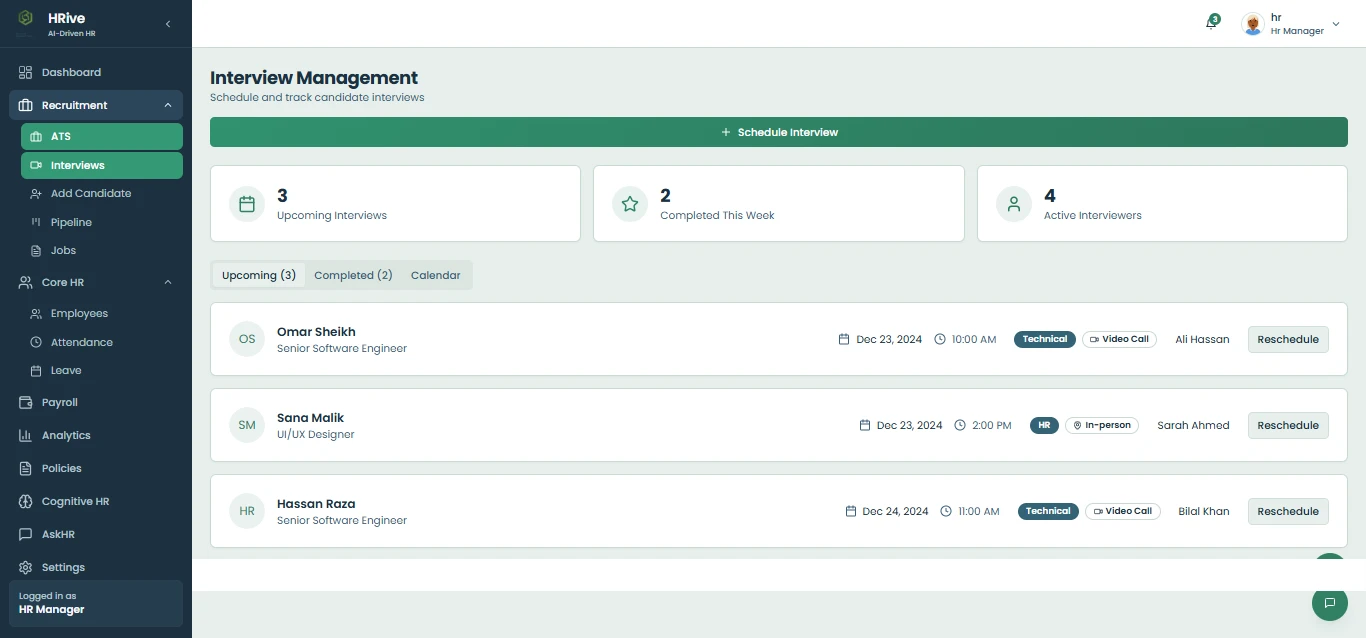
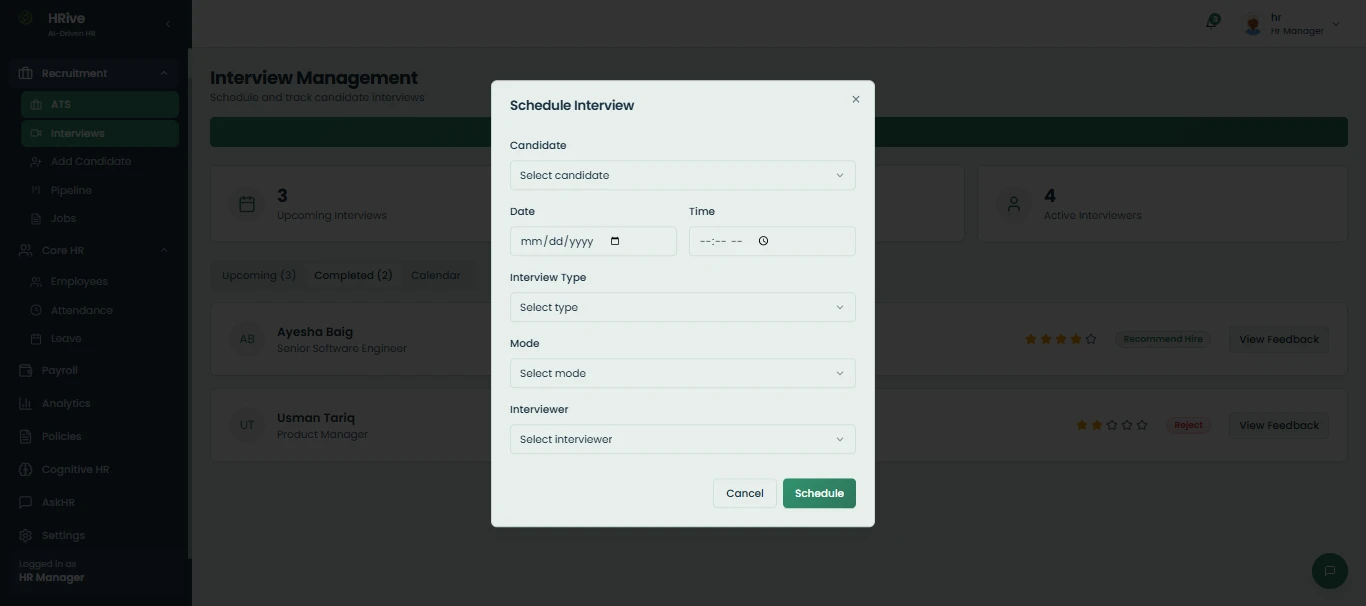
Interviews are scheduled and reviewed
Interviews are booked with a date, type, mode and interviewer, and each one ends with a rating and a recommendation.
-
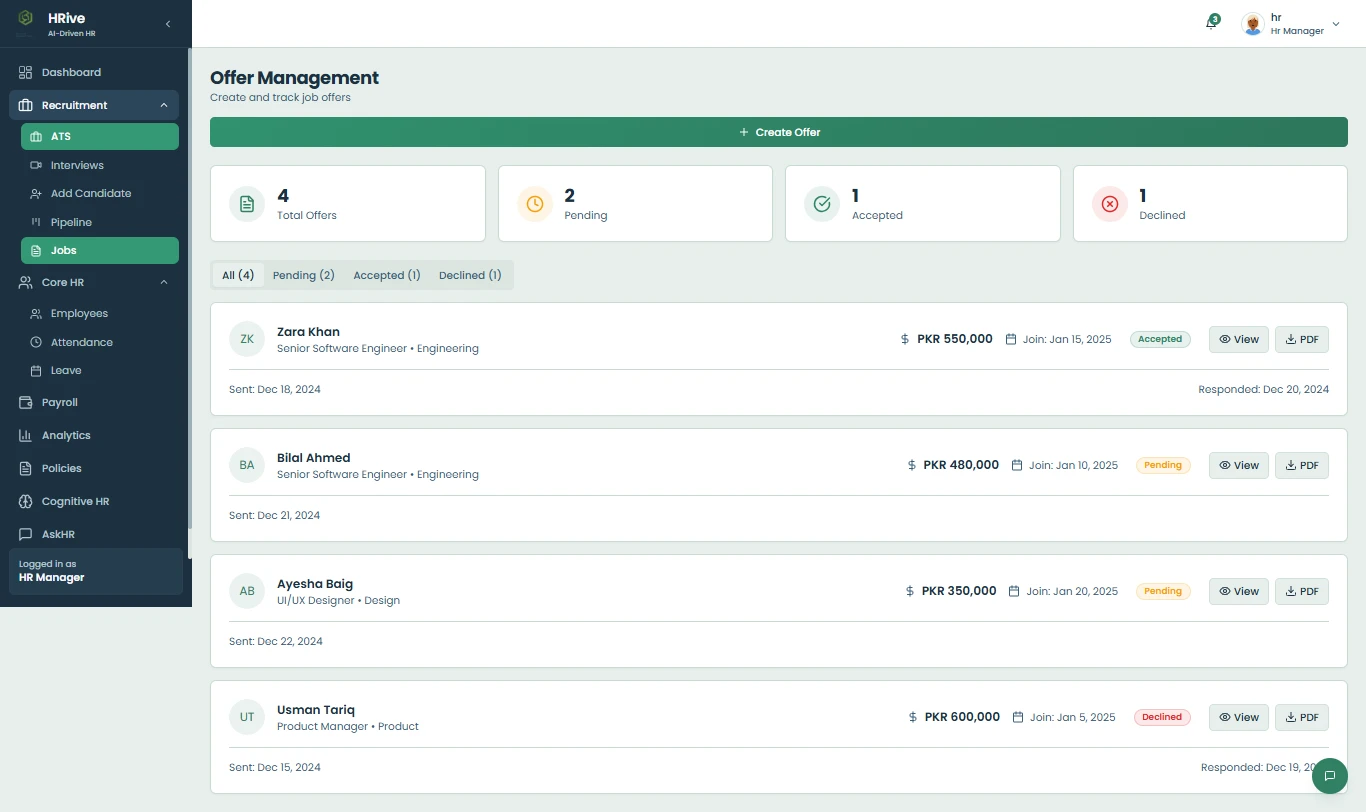 HR
HRHR sends and tracks the offer
Offers are created and followed from pending to accepted or declined, without a separate spreadsheet.
Features
What HRive does today
Only modules that can be opened and demonstrated in the current build are listed here.
Employee records and role-based access
One directory of employee profiles, with each portal showing only what that role should see.
Attendance
Attendance recorded and reviewed in the same workspace as the employee record it belongs to.
Leave requests and approvals
Employees submit, managers decide, and HR sees the outcome, without the email chain.
HR and manager dashboards
A working overview for HR and for each manager, scoped to the people they are responsible for.
Recruitment
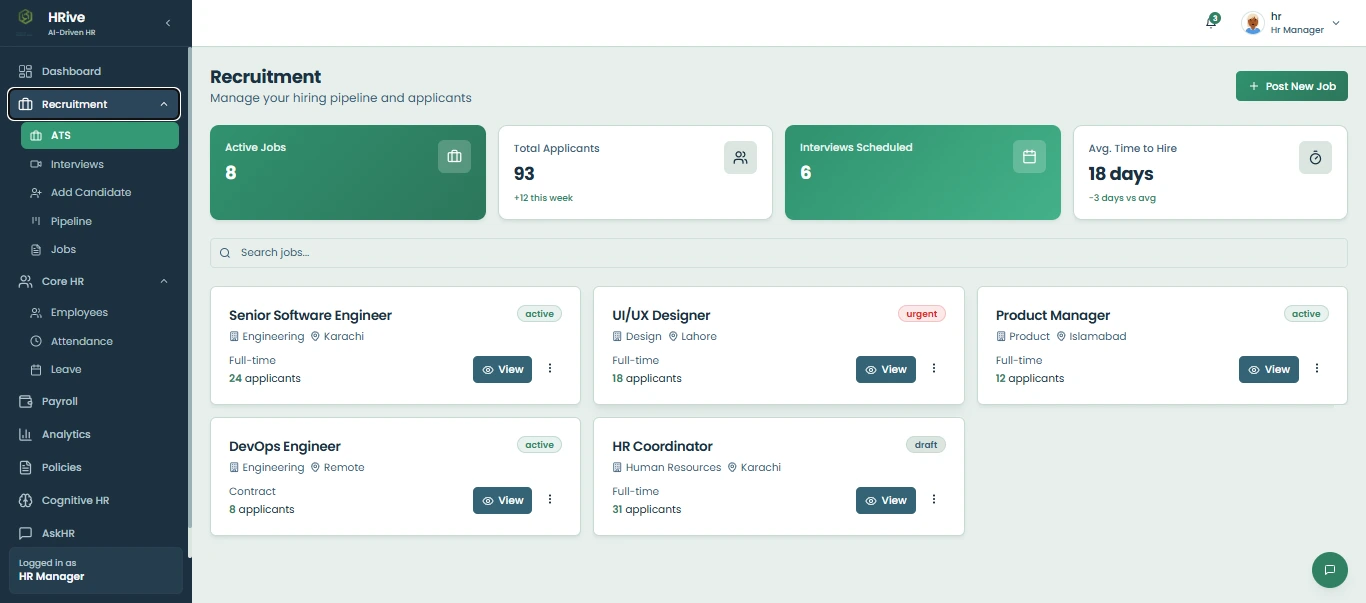
Job openings, applicants, a candidate pipeline, interview scheduling with feedback, and offer tracking.

How it works
How a leave request moves through HRive
Five roles, one record. Nothing is re-entered along the way.
- Admin
Admin sets up the organization
The admin configures the organisation and decides which role each person signs in with.
- HR
HR manages employee records
HR keeps employee profiles and records in one directory instead of separate files.
- Employee
Employee submits a request
An employee raises a leave request from their own portal, seeing only their own information.
- Manager
Manager reviews it
The manager sees the request from their team and approves or declines it in one place.
- HR
HR sees the updated record
The decision flows back to the employee record and the HR dashboard without being re-entered.
Architecture
How the platform is put together
Four layers, described without naming a technology on purpose.
- Role-based web portalsAdmin, HR, manager and employee views
- Application / API layerBusiness rules, approvals and permissions
- HR records and workflow dataEmployees, attendance, leave and requests
- Dashboards and reportingRole-scoped overviews for HR and managers
Built around who should see what
Role permissions
Each person signs in to a portal for their role and sees only the records that role is allowed to see.
Authenticated access
Every portal sits behind sign-in; nothing in HRive is reachable anonymously.
PlaceholderProduction stack listed once confirmed against the HRive repository.
Screenshots
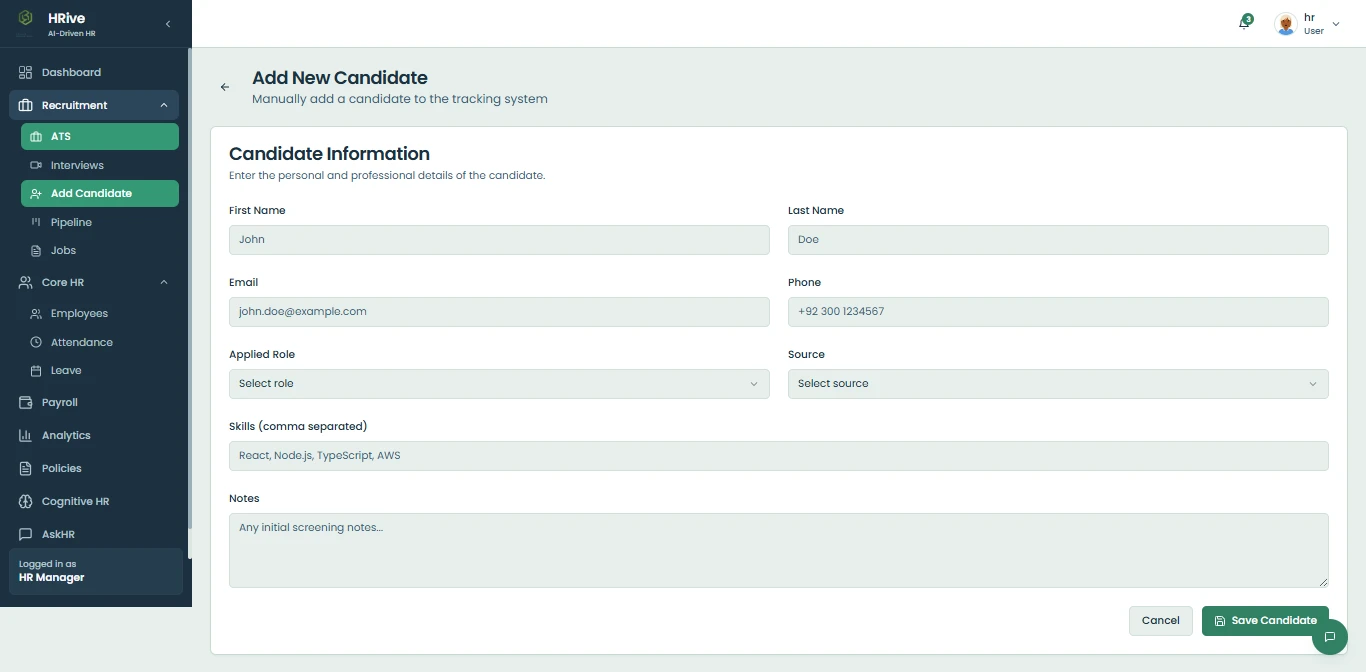
More screens
More of the recruitment module, on sample data. Scroll sideways for the rest.
Questions
About HRive
Anything else, ask us directly. Enquiries are usually answered within one working day.
Is HRive a client project?
No. HRive is an in-house Vision Bridge product: ours, developed alongside client work, not something delivered for a client.
Which parts of HRive are working today?
Employee records with role-based access, attendance, leave requests and approvals, the HR and manager dashboards, and recruitment, from job openings to offers. Other modules are listed only once they have been checked in the running product.
Does HRive include payroll?
Payroll is not listed because it has not been checked in the running product. Only working modules appear on this page.
Is there a live demo?
Not yet. A demo running on sample data will be linked here once it is available.
Can Vision Bridge build an HR platform like this for our team?
Yes. We design and build internal tools around how a team actually works, its roles, approvals and records, and integrate them with the systems already in place.
Need a platform built around your team's workflow?
Vision Bridge designs and builds internal tools and business platforms around real operational needs.
Discuss your project Usually answered within one working day.